9 November 2022

After Victories, Ukraine Faces Impossible Choice

Benjamin Giltner

“Space we can recover, time, never.” Napoleon’s infamous statement on the importance of time in military strategy and operations rings true today. In its recent counteroffensive, the Ukrainian military has made use of blitzkrieg tactics, recapturing what Volodymyr Zelensky claims to be 200 square miles of Ukrainian territory, including the town of Lyman in the north of Donetsk. This might be worth celebrating were it not for the fact that Ukraine now faces an unfortunate choice: Stall the offensive and risk getting bogged down in the east—or press on with the operation and risk the use of Russian nuclear weapons.

In blitzkrieg operations, the enemy must be defeated quickly and decisively. Otherwise, the side employing blitzkrieg is at risk of logistics breaking down and the enemy counterattacking. This is precisely what happened to the Nazis when they attempted to defeat the Soviet Union. If an enemy’s economy can withstand the negative effects of war, blitzkrieg operations are difficult to sustain. As pointed out in the book Warfare in the Western World: Military Operations Since 1871, Britain’s modern economy allowed it to survive Nazi assaults during the Battle of Britain. It seems Russia can still fight for now. As The Economist reported in August, Russia is experiencing a recession, but not severe economic collapse.

Why Putin prefers ‘War-War’ to ‘Jaw-Jaw’

Lawrence Freedman

As is often the case with familiar quotes this is not quite what Churchill actually said. Official biographer Sir Martin Gilbert reports that the original was ‘Meeting jaw to jaw is better than war’ which is not quite as punchy. The sentiment remains the same, however - talking is to be preferred to fighting. But the context is also important because Churchill was explaining why summit diplomacy was vital to prevent another great power war. He was not arguing that diplomacy was always preferable to continuing with the fight once a war had begun. After all one of his first acts as Prime Minister in 1940 was to reject suggestions that it was time to explore a negotiated peace just because, at that time, Nazi Germany appeared to have the upper hand in the war.

Another biographer of Churchill, Boris Johnson, used the phrase last January in conversation with Vladimir Putin about the need for talks as an alternative to fighting. But while jawing might be preferable to warring, jawing and warring at the same time is much more problematic. A deal to stop a war will define who has won and lost. Neither side will want to agree so long as there is a possibility that its position may be improved through further fighting. When it comes to the current war there is a further problem. Since the spring observers have thought it would make sense for Putin to offer a cease-fire that would leave him with something to show for invading Ukraine, even though for the same reason Zelensky would be bound to reject such proposals. Yet without there being any proposals on the table from Putin, Zelensky is still regularly urged to take the prospect of negotiations seriously in order to gain relief from this bloody war, and to remove the risk of escalation. Far less attention is paid to the Russian side of this equation. Why is Putin not demanding talks? Is it because he still dreams of victory? Perhaps, but a more disturbing reason is that he dare not conclude the war in a way that requires him to acknowledge failure.

How the hijab became a symbol of so much tension around the world

Monique El-Faizy

On first glance, the hijab looks innocuous enough — a medium-sized square piece of cloth that Muslim women use to cover their hair and neck, much in the same way that Orthodox Jewish women wear wigs or Amish women wear bonnets.

In reality, though, it’s a powerful symbol and one that is easily weaponized.

The weaponization goes both ways. In some places, it’s aimed at women who wear them; in others, at women who refuse. In Iran, people have been protesting against the government ever since 22-year-old Mahsa Amini died on Sept. 16, following her arrest by the country’s so-called “morality police” for allegedly violating the requirement to wear a hijab that fully covers a woman’s hair. Thousands of women took to the streets in cities across Iran, removing their hijabs and cutting their hair in solidarity. The demonstrations, which now include men, have spread and been met by fresh and deadly crackdowns.

In other places, and in other times, the hijab rules have been the opposite.

Can Prime Minister Sunak Square the Circle of Brexit?

Alexander Brotman

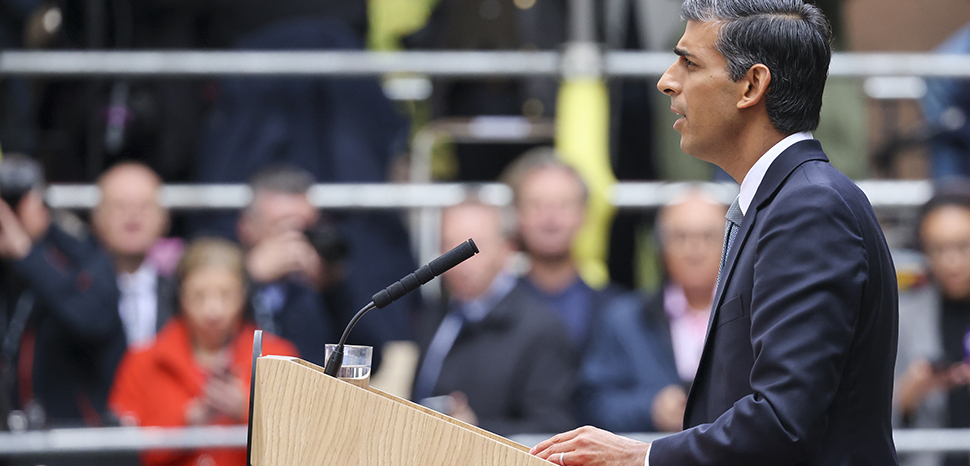
The 44-day tenure of Liz Truss and the arrival of Rishi Sunak to 10 Downing Street comes at a perilous time for Britain’s economy and global position. Inflation is at an all-time high, wages and living standards have fallen significantly below the UK’s counterparts in Western Europe, and threats to the union with Scottish independence and the potential reunification of Ireland all loom large. In addition, the near-record support for the Labour Party suggests an uphill climb for the Conservatives ahead of the next general election to be held by January 2025. Thus, Prime Minister Sunak is unlikely to strengthen the UK’s position in Europe or in global affairs but to more carefully manage the terms of its continued retrenchment.

As a principled Leaver who has been consistent in his Brexit positions, Sunak may find a more receptive audience in Brussels as the UK continues to manage its withdrawal from the EU. The early readout from his call with European Commission President Ursula von der Leyen suggests a less combative approach to the Northern Ireland Protocol than Truss, and a desire to renegotiate without succumbing to legal disputes over individual provisions. However, given that Sunak’s tenure is likely to be short and his political legitimacy already in question, he will likely have an uphill battle in unifying divisions within the UK and projecting confidence to his partners across the channel.

Defense Department needs to capitalize on historic opportunity

CHARLES T. CLEVELAND, DANIEL EGEL, RUSSELL HOWARD

The Department of Defense (DOD) may be facing a once-in-a-generation opportunity to fix a critical gap in its national security arsenal. Congress has authorized the creation of an institution dedicated to the study and research of irregular warfare (IW), and the education of officers and civilian professionals charged with defending against non-standard threats and executing competent IW campaigns and strategies.

Unfortunately, initial indications are that this opportunity created by Congress — which comes at precisely the right moment to prepare the nation for competition in the 21st century, in which IW may play an oversized role — might not be realized.

Congress authorized the creation of the Irregular Warfare Functional Center (IWFC) with the Mac Thornberry National Defense Authorization Act of 2021. According to the legislation, such a center could “enhance and sustain focus on, and advance knowledge and understanding of, matters of irregular warfare.” It could improve the U.S. military’s understanding of IW and professionalize the next generation of U.S. leaders and staff officers, leveraging expertise both within the DOD and from America’s world-class universities to do so.

The ‘Agile’ Wargames that Can Test Force Design, Part 1

Lieutenant Colonel Thomas

What will the next fight look like, and what changes must be made to compete and win? It is impossible to predict the future, but military planners must still anticipate the character of future conflict to position U.S. forces to best achieve the nation’s objectives. In a world of finite resources, hard choices must be made to design a force capable of outperforming a committed adversary.

All the services within the Department of Defense (DoD) are grappling with this challenge, but perhaps none so aggressively and publicly as the Marine Corps. Force Design 2030 is the service’s plan to modernize and develop a combat-credible force for the future security environment. Of note, Force Design 2030 continues to shape the Marine Corps in light of the 2018 National Defense Strategy’s direction to shift from counterterrorism to state competition. This requirement was reemphasized in the 2022 National Defense Strategy. DoD has identified China as the pacing threat, though Russia continues to cause concern.

The efforts to develop, wargame, test, and refine Force Design 2030 are substantial, and the Marine Corps continues to communicate progress frequently and publicly. Still, many aspects necessarily remain classified, preventing much of the national security community from understanding the methods used to come to conclusions—conclusions that are often controversial. This can cause analysts to feel as though they can only see Force Design 2030 through a glass, darkly.

There Is Only 1 Way The Ukraine War Can End

Daniel Davis

How the Ukraine War Will End: In the heady days of September and October, the Ukrainian Armed Forces (UAF) won remarkable military victories over the Russian invaders, recapturing thousands of square miles of territory. Many in the West interpreted those successes as “irreversible” proof Kyiv was on its way to victory, and thus there was no need to consider a negotiated settlement with Moscow. The stark, cold realities of modern warfare, however, reveal that to the contrary, there is no end to the war in sight, and the most likely case remains – however unpopular in the Western world – a negotiated settlement.

The only question that remains: how many more Ukrainians must die before this harsh reality is grasped by the leaders of both warring parties?

There are a great many in the United States and the Western world that genuinely does believe Kyiv can win its war with Moscow and eventually drive all of Putin’s forces back to Russia. Last week Ukrainian President Volodymyr Zelensky reiterated his longstanding boast that his forces would “definitely liberate Crimea.” Former four-star U.S. general Ben Hodges predicted that by the end of this year, the UAF would “push Russian troops back to positions” they held prior to the start of the war and “by the middle of next year Ukrainians will be in Crimea.”

What China’s Past Can Tell Us About Xi’s Future

Howard W. French

Soon after taking power late in 2012, Chinese leader Xi Jinping’s first trip outside of Beijing was to visit troops in the Guangzhou military region, in the country’s south, where he told recruits that “it is the soul of the military to obey the command of the party without compromise, [and] it is the top priority for the military to be able to fight and win battles.” In another high-profile move eight months later, Xi toured China’s first aircraft carrier, the Liaoning, where he delivered much the same message.

A decade later, in retrospect, these seem not only like significant events in themselves, but also fairly reliable signposts about what to expect from China under its new leader: a blunt style and much more assertiveness than the world had been used to under recent Communist Party heads.

The power of inaction in Ukraine

ERIK GARTZKE

Those in the West who worry that Vladimir Putin might use nuclear weapons should be conscious of one thing: Whatever one thinks is the risk of a nuclear nightmare in the coming weeks and months, it likely is less than it might have been. The United States and NATO practiced restraint, choosing to not put boots on the ground and instead to aid Ukraine in its war with Russia. The decision to pursue inaction eventually may prove to be one the most consequential, and fruitful, policy choices in recent decades. This decision also highlights the benefits of restraint in foreign policy.

It is easy to forget that things appear to be going well for the Ukrainians. Russia’s invasion is failing. Two phases of the unprovoked Russian campaign have proven unsuccessful. First there was the abortive “smash and grab” aimed at Kyiv and other cities that ran out of gas, literally. Next, the Russian military retreated, at the same time falling back on familiar archaic tactics of massive artillery bombardments and plodding frontal assaults. Ukrainian forces countered by deploying surprise-and-maneuver tactics that cost Russia more territory than it had gained since the retrenchment.

Biden’s ‘consequences’ for Saudi Arabia are reaping quiet results

Karen DeYoung

Despite its furious reaction to Saudi Arabia’s decision last month to cut oil production in the face of global shortages, and threats of retaliation, the Biden administration is looking for signs that the tight, decades-long security relationship between Washington and Riyadh can be salvaged.

Those ties, and a commitment to help protect its strategic partners — particularly against Iran — are an integral part of U.S. defenses in the Middle East. When recent intelligence reports warned of imminent Iranian ballistic missile and drone attacks on targets in Saudi Arabia, the U.S. Central Command launched warplanes based in the Persian Gulf region toward Iran as part of an overall elevated alert status of U.S. and Saudi forces.

David or Goliath? How Thinking Like a Small Nation Can Help Counter China

Garrett Martin

The posture of the U.S. as the global hegemon is creating strategic vulnerabilities.[1] The growing misalignment between American capabilities and geopolitical realities is allowing China to unseat the world order; small, iterative advances in ship design will not solve China’s growing influence in the South China Sea nor the expansion of the Belt and Road Initiative (BRI). Yet, the U.S. seems determined to continue its arms build-up, putting the nation on a brash warpath with China. Many declining empires fought their rising adversaries only to lose, and in doing so, signaled a global transfer of power. This is popularly known as the Thucydides Trap.[2] Perhaps the U.S. can avoid this trap by adopting the perspective of a small nation. If the U.S. proactively assumes the posture of a smaller, militarily disadvantaged nation, it may be able to outmaneuver the rising power of China without direct armed conflict.
View fullsize

TEACHING IRREGULAR WARFARE IN THE ERA OF STRATEGIC COMPETITION

Elena Pokalova

The 2022 National Security Strategy focuses on US leadership in strategic competition over the future of international order. The document lays out the threats and challenges the United States faces today from adversaries such as Russia and China. In order to prevail over such competitors and secure US leadership in the future, the United States needs to reconsider the way it approaches teaching irregular warfare (IW) in its professional military education (PME) institutions.

Russia and China have demonstrated the rising significance of IW in the era of strategic competition. The Kremlin has used “little green men” to annex Crimea and deployed the Wagner Group to foment separatism in eastern Ukraine. China has stolen Western technology to get ahead and used its Belt and Road Initiative to undermine Western economic institutions. In what looks like an increasingly multipolar world, more and more actors are willing to resort to IW to compete; the United States’ IW curriculum needs to reflect that fact.

In the era of strategic competition, IW has become about building influence, creating leverage, and undermining opponents through all instruments of national power. It is about the use of all available capabilities to pursue hostile intentions without having to resort to the use of military force. When wars do break out, US adversaries have shown that IW is about fighting dirty, with little regard to internationally accepted norms and rules of armed conflict. What has been unthinkable for Western democracies has become the norm for autocratic governments in Moscow or Beijing. As a result, US PME students need to graduate with a proficiency in IW if they wish to fight and compete effectively.

Why Japan Is Gearing Up for Possible War With China

Hal Brands

If China were to attack Taiwan, it wouldn’t just have to face a hostile superpower. It would also likely have to confront its longstanding regional rival, Japan. For centuries, Japan and China have vied for hegemony in East Asia; at times, they have threatened each other’s survival. Today, as I found from three days of meetings with Japanese officials and analysts in Tokyo, the threat of Chinese aggression is producing a quiet revolution in Japanese statecraft — and pushing the nation to get ready for a fight.

For the US, China is a dangerous but distant challenge. For Japan, China is the existential danger next door. Years before American leaders were proclaiming the return of great-power rivalry, Japanese officials were warning that Beijing was up to no good. As China’s capabilities become more formidable and its conduct in the Taiwan Strait more menacing, Tokyo’s concerns grew more acute.

The weather may have been beautiful when I visited the capital, but there is very much a sense that storms are on the horizon. “Ukraine today may be East Asia tomorrow,” warned Prime Minister Fumio Kishida in June. The same month, some 90% of the Japanese public believed the country should prepare for a Chinese invasion of Taiwan. That was before Chinese leader Xi Jinping ratcheted tensions by firing ballistic missiles into Japan’s exclusive economic zone following House Speaker Nancy Pelosi’s visit to Taipei.

Putin Fires Back: Why The Ukraine War Will Get Even Bloodier

Jack Buckby

Ukraine Repels Russian Attacks As Battle for Kherson Draws Closer: Ukrainian forces used captured Russian weapons against invading forces in the eastern city of Bakhmut on Friday following a bombardment of Russian attacks in Zaporizhzhia, Donetsk, and Luhansk in recent days.

According to a statement from the General Staff of the Armed Forces of Ukraine on November 6, Ukrainian forces repelled attacks by the Russians in 14 settlements in recent days. The statement described how Russian forces attempt to maintain control of occupied territories, focusing specifically on deterring new Ukrainian offensives in strategic areas.

“They are conducting offensive operations in the Bakhmut, Avdiivka, and Novopavlovsk directions… Over the past day, the Russian occupiers launched 4 missile and 19 air strikes, carried out more than 75 attacks from multiple launch rocket systems,” the update reads.

UK PM Rishi Sunak to take big step against China, may shut Confucius Institutes


London: Rishi Sunak is set to take a drastic step almost immediately after becoming the prime minister of the United Kingdom (UK). The British government is planning to shut down Confucius Institutes in universities across the UK citing security concerns.

“China is the biggest-long term threat to Britain and the world’s economic and national security,” Rishi Sunak had told the media earlier this week.

UK has the highest number of Confucius Institutes in the world with a total of 30 in universities across the island nation. All of them are in the cross hairs of the British government led by Rishi Sunak.

Refurbished Soviet tanks, HAWK missiles and more Phoenix Ghost drones coming soon to Ukraine

VALERIE INSINNA

WASHINGTON — The Pentagon will supply Ukraine with refurbished Soviet tanks along with drones, air defense missiles and armored vehicles as part of a new $400 million arms package announced today.

The centerpiece of the latest tranche of aid is the US-funded provision of 45 refurbished Soviet T-72B tanks, which will come from the Czech Republic and be upgraded with “advanced optics, communications and armor packages,” the Defense Department stated.

The tanks are part of a larger agreement with the Czech Republic and the Netherlands, in which the Dutch will pay to upgrade an additional Czech 45 T-72Bs also bound for Ukraine. Through this initiative, which is worth $90 million in total, the countries will begin delivering the 90 tanks to Ukraine as early as December 2022, the countries said in a trilateral statement.

Free Speech for Whom?

PETER SINGER

PRINCETON – How is it that a man who has banned 83 million people from Twitter can freely use the platform to post his messages denigrating women and supporting the brutal attack on the writer Salman Rushdie? I’m referring to the leader of the Islamic Republic of Iran, Ayatollah Ali Khamenei, whose government is killing young women who want to be able to show their hair in public.

For several years, the Iranian-American activist Masih Alinejad has been calling for Khamenei to be banned from Twitter. Last month, along with Ukrainian president Volodymyr Zelensky, she received the 2022 Oxi Courage Award at the United States Institute of Peace. Opposition to Khamenei does indeed require courage, as is evident from the attack on Rushdie last August, which can be traced to the 1989 fatwa issued by Khamenei’s predecessor, Ayatollah Khomeini, condemning Rushdie to death for blasphemy.

As recently as 2019, Khamenei called this verdict “solid and irrevocable,” and Iran’s foreign ministry refused to reproach Rushdie’s attacker, instead blaming Rushdie. Alinejad herself has been under FBI protection since August, when police arrested and charged a man with plotting to kill her.

Force Design 2030: Transforming to Irrelevance

Michael P. Marletto

As the United States Marine Corps seeks to organize, train, and equip itself for contending with existing and emerging twenty-first-century security challenges, it has become clear that the developers, advocates, and critics of Force Design (FD) 2030 have very different visions of the future global security environment.

The latest FD 2030 proponent to weigh in on the debate is defense analyst Dakota Wood with his article “The U.S. Marine Corps Has a Choice: Transform or Die.” An advocate for the FD 2030 initiatives, Wood argues that the FD 2030’s proposed technological, doctrinal, and organizational changes are necessary for the Marine Corps to maintain its relevance by developing unique capabilities that will differentiate it from the Army and special operations community.

The developers and advocates of FD 2030 are confident that they alone can successfully interpret military theory, history, technological advancements, and the global security environment. Furthermore, in a historical first, they believe they also have the absolute clarity to apply them to a future organization designed to fight and win as part of a joint force against a peer competitor, China, in the geographical confines of their choosing, the South China Sea and First Island Chain. Rather than engage in an open debate on the strengths and weaknesses of the FD 2030, they neither seek nor desire other viewpoints.

Is Erdogan the Winner of the Russia-Ukraine War?

Mark Episkopos

Turkish president Recep Tayyip Erdogan capped off a week of emergency diplomacy to save the beleaguered Ukraine grain deal by doubling down on his decision to stonewall NATO expansion, putting a renewed spotlight on Turkey’s nuanced multi-vector posturing as the Russia-Ukraine war enters its ninth month.

Ukrainian president Volodymyr Zelenskyy and U.S. secretary of state Antony Blinken thanked Erdogan earlier this week for pulling Russia back into a multilateral agreement for the continued export of Ukrainian grain shortly after the Kremlin said it was leaving the deal. The reversal followed a Tuesday phone call between Erdogan and Russian president Vladimir Putin. Erdogan secured Putin’s commitment to re-enter the deal, which was brokered by Turkey and the United Nations in July, in exchange for guarantees aimed at assuaging Moscow’s growing list of security, political, and logistical grievances with the agreement.

Defense Department needs to capitalize on historic opportunity

CHARLES T. CLEVELAND, DANIEL EGEL, RUSSELL HOWARD

The Department of Defense (DOD) may be facing a once-in-a-generation opportunity to fix a critical gap in its national security arsenal. Congress has authorized the creation of an institution dedicated to the study and research of irregular warfare (IW), and the education of officers and civilian professionals charged with defending against non-standard threats and executing competent IW campaigns and strategies.

Unfortunately, initial indications are that this opportunity created by Congress — which comes at precisely the right moment to prepare the nation for competition in the 21st century, in which IW may play an oversized role — might not be realized.

Congress authorized the creation of the Irregular Warfare Functional Center (IWFC) with the Mac Thornberry National Defense Authorization Act of 2021. According to the legislation, such a center could “enhance and sustain focus on, and advance knowledge and understanding of, matters of irregular warfare.” It could improve the U.S. military’s understanding of IW and professionalize the next generation of U.S. leaders and staff officers, leveraging expertise both within the DOD and from America’s world-class universities to do so.

Chinese Election Meddling Hits the Midterms

Craig Singleton

Having consolidated his hold on power at the Chinese Communist Party’s recently concluded 20th National Congress, Chinese leader Xi Jinping has now set his sights on influencing the U.S. midterm elections. China’s latest efforts to sow doubt about U.S. election integrity are consistent with Xi’s stated goal of championing China’s autocratic model as a “new choice for humanity.” The threat of Chinese interference in democratic elections demands immediate action by policymakers in Washington and other Western capitals.

As early voting across the United States kicked into high gear this fall, so, too, did the activities of Chinese government-affiliated cyberactors seeking to discourage Americans from voting, discredit the election process, and sow further divisions among voters.

What is hybrid war? Meaning of the term explained and how it applies to Putin, Russia and the UK

Alex Finnis

The UK is not at war with Russia in a traditional sense. While Britain backs Ukraine and has been providing it with support since Russia’s invasion back in February, British troops have not been sent to fight and are not engaging Russia directly.

However, experts have suggested the UK and Russia are involved in a “hybrid war” – a more modern type of warfare that does not necessarily involve gunfire.

Casey Fleming, CEO of business warfare and counterintelligence company BlackOps Partners, told Epoch TV: “You’re in World War III today. It’s called hybrid warfare. We’re not aware of it, we don’t understand it… But hybrid warfare, you’re in it, you’ve been in it, and it’s peaking, and it’s maturing at this point.”

But what exactly is hybrid warfare, and how does it apply to the UK and Russia? Here’s everything you need to know.

Russia Reactivates Its Trolls and Bots Ahead of Tuesday’s Midterms

Steven Lee Myers

The user on Gab who identifies as Nora Berka resurfaced in August after a yearlong silence on the social media platform, reposting a handful of messages with sharply conservative political themes before writing a stream of original vitriol.

The posts mostly denigrated President Biden and other prominent Democrats, sometimes obscenely. They also lamented the use of taxpayer dollars to support Ukraine in its war against invading Russian forces, depicting Ukraine’s president as a caricature straight out of Russian propaganda.

The fusion of political concerns was no coincidence.

The account was previously linked to the same secretive Russian agency that interfered in the 2016 presidential election and again in 2020, the Internet Research Agency in St. Petersburg, according to the cybersecurity group Recorded Future.

Misinformation is bad, but ‘solutions’ to stop it are even worse

JEFFREY M. MCCALL

Americans can agree that misinformation is bad. Stopping it, however, is not so easily accomplished. There are no simple fixes to the spread of misinformation in a free society in which expression is constitutionally protected.

Further, reckless or ill-advised efforts to bring a stop to misinformation could be more harmful to American democracy than the misinformation itself.

An Associated Press/NORC poll released this fall indicates that nine in ten respondents say misinformation is a serious problem in American society. Three-quarters of Americans say misinformation leads to more extreme political views and polarization. Interestingly, however, only 28 percent report they regularly fact-check the news they consume.

Thus, it appears Americans aren’t all that worried about the information they absorb for themselves. They are mostly worried about misinformation in the minds of fellow citizens.

West Sees Little Choice but to Keep Backing Ukraine

Laurence Norman

Washington and its allies see little prospect of a negotiated end to the war in Ukraine soon given the high stakes for Moscow and Kyiv, and the fact that both sides believe they can win, Western diplomats say.

The North Atlantic Treaty Organization and its members say they are determined to keep supplying economic and military assistance to Ukraine as it fights to roll back gains made by Russian forces, and to punish Moscow with sanctions for its attack on its smaller neighbor.

Some U.S. lawmakers, worried about the costs of the war and the possibility of escalation, have pushed for peace talks. Republican legislators have questioned continued funding, and a recent Wall Street Journal poll found that support for Ukraine was waning among Republican voters.

But the U.S. and European governments say the Kremlin is escalating the war, rather than creating any opening for genuine negotiations.

8 November 2022

The U.N. (as We Know It) Won’t Survive Russia’s War in Ukraine

James Traub

A few weeks ago, I posed a hypothetical to a dozen foreign policy scholars, pundits, analysts, and ex-diplomats, American and not. Imagine, I wrote, a terrible denouement to the Ukraine war, though one that stopped short of World War III: a Russian decision to use tactical nukes against Ukraine, followed by a selective NATO strike on Russian air bases, followed by a Russian attack on one of the Baltic nations, followed by a devastating air assault on Russia.

My question was: In the aftermath of such a cataclysm, how would, or should, the world order be rebuilt?

My question rested on several assumptions. The first is that we do, in fact, live inside a “rules-based order” or “liberal” order: a network of norms, laws and institutions that, for all their shortcomings, govern international affairs not by raw power but by the rule of law. The second assumption is that such systems of order do not come into being because they sound like a good idea but because a catastrophe shows the existing framework to be untenable. The Napoleonic wars led to the balance-of-power system known as the Concert of Europe, World War I led to the League of Nations, and World War II led to the United Nations, the World Bank and International Monetary Fund, NATO, and other regional treaty alliances.

Singapore’s new cyberdefence force: a reflection of modern warfare in the digital age

Maria Siow

Defence strategies in the digital age have been forced to adapt to the constantly evolving demands of modern warfare, as the war in Ukraine has shown. Photo: dpa

Singapore late last month joined the growing ranks of Asian nations seeking to defend their digital borders with the formation of its military’s Digital and Intelligence Service (DIS).

Tasked with providing timely intelligence and safeguarding the island state against cyber threats, the Singapore Armed Forces’ fourth branch sits alongside its three traditional ones – the army, navy and air force – and will also work to protect electronic networks and act as an early warning system.

Defence strategies in the digital age have been forced to adapt to the constantly evolving demands of modern warfare, which is now fought almost as extensively in the virtual domain as it is by land, air or sea.

Helicopters of Singapore’s air force perform an aerial display in 2020. Cyberattacks are now seen as equally vital to defend against as those from the land, air or sea. Photo: Reuters

Cyberattacks have become increasingly commonplace, providing aggressors with a deniable yet effective way of striking an adversary in times of both peace and war, as seen this year in Ukraine, where government and financial institutions, satellite communications systems, and other critical infrastructure have been the repeated target of cyberattacks.

“There is a growing recognition that countries must address the reality that cyber elements are becoming more prevalent in modern warfare,” said Eleanor Shiori Hughes, defence analyst at The Asia Group, a strategic consulting firm in Washington.

Both state and non-state actors have grown increasingly sophisticated in how they carry out cyberattacks, she said, and this has spurred regional countries to devote more resources towards boosting their electronic defence capabilities and safeguarding their digital infrastructure.

Japan launched a newly reorganised cyberdefence unit in May and last Monday said it would boost its personnel numbers fivefold, to 5,000, by 2027 in response to heightened threats. China, meanwhile, launched the space, cyber and electronic warfare branch of its military, called the Strategic Support Force, in 2015. Its personnel numbers are not made public.

Singapore’s Defence Minister Ng Eng Hen highlighted cyber threats and the growing use of disinformation in warfare when he spoke in March of the need for the city state to have a dedicated service tasked with defending its digital borders.

Creating defence capabilities to meet the increasingly complex demands of modern warfare “requires not only upgrading military technologies and hardware, there must be organisational agility as well,” said Michael Raska, coordinator of the military transformations programme at Singapore’s S. Rajaratnam School of International Studies (RSIS).

The formation of DIS signals that Singapore recognises the importance of cyberdefence in a world where electronic warfare is no longer “considered abstract and somewhat elusive” but instead “viewed as concrete and real”, said Paul J. Smith, a professor at the US Naval War College who spoke to This Week In Asia in a personal capacity.

“Modern warfare will inevitably feature conflict in this domain,” he said, adding that Singapore had been careful to present the creation of its new military branch “as a capabilities-based decision, as opposed to a threat-based decision” without explicitly naming “where the threat is coming from”.

“This is important because the issue is not where the threat is coming from per se,” Smith said. “Rather, what matters is that Singapore has the capability to counter it regardless of its origin.”

Ukraine conflict spotlights rise of cyberwarfare

Before this year, Singapore’s first line of defence against electronic threats was the Defence Cyber Organisation, an arm of the defence ministry founded in 2017 as the growing need to counter cyberattacks and other forms of digital warfare became increasingly clear.

Russia’s invasion of Ukraine only threw this requirement into sharper focus, according to Muhammad Faizal Bin Abdul Rahman, a research fellow at the RSIS’ Institute of Defence and Strategic Studies regional security architecture programme, who compared the rise of cyberwarfare and defence to the birth of national air forces in the 20th century after the then-new technology of flight had begun to turn the tide of battles.

“The Russia-Ukraine war is demonstrating how cyber and digital warfare is an essential element of multi-domain operations,” Muhammad Faizal said, further noting that a number of major powers had made cybersecurity more integral to their defence strategies in recent decades – such as the US Cyber Command, founded in 2010 – though their scale, missions and command structures differ.
A sign showing the logos of US Cyber Command, the National Security Agency and Central Security Service outside the NSA campus in Fort Meade, Maryland. Photo: AP

Beginning as early as the second half of last year – months before Russia invaded on February 24 – Ukraine was hit with a string of concerted cyberattacks targeting its critical infrastructure and sensitive digital networks.

Russian-backed intelligence and military agencies have been attributed with carrying out the ongoing operations, which have targeted Ukrainian government and financial websites, satellite communications networks and other key systems.

Their next focus, it’s feared, could be Ukraine’s power grids – and any heating infrastructure not already damaged by physical bombardment – as the cold of winter closes in.

Singapore’s move to make cybersecurity more central to its national defence strategy can be viewed as complementing its existing efforts to promote better regional cooperation among Asean militaries through the new ADMM Cybersecurity and Information Centre of Excellence (ACICE) that’s hosted by the island state, Muhammad Faizal said.

Approved at a meeting of the Association of Southeast Asian Nations’s defence ministers last year, the ACICE was set up to share information and build regional cyberdefence capacity.

It’s is also in Singapore’s best interest, as a country with a highly digitised economy and society, to be “proactive and forward-looking” when it comes to cybersecurity, Muhammad Faizal said.

While the move to establish DIS “may raise eyebrows and perhaps interest from neighbouring countries”, Smith from the Naval War College said it’s unlikely to be perceived as threatening.

“Singapore’s military posture is defensive. Its military simply wants to protect the country, not invade or encroach on the interests of others,” he said.

“Singapore is an agile and innovative country that punches above its weight. Many countries envy Singapore’s ability to make bureaucratic changes in a matter of weeks or months that might take other countries years to achieve. I see this latest change as being consistent with this larger pattern.”

How Washington and New Delhi Can Further Tech Ties

RUDRA CHAUDHURI, PRIYADARSHINI D., KONARK BHANDARI

INTRODUCTION

On May 24, 2022, Indian Prime Minister Narendra Modi and U.S. President Joe Biden launched the bilateral Initiative on Critical and Emerging Technologies (iCET) in Tokyo. The initiative is “spearheaded by the National Security Councils of the two countries,” and its primary objective is to “expand partnership in critical and emerging technologies.” Scientific and technological cooperation between India and the United States goes back to the Green Revolution. Since then, a range of government-led initiatives have set out joint funds for projects, created dialogue platforms to focus on easing export controls, and set up forums and projects to focus on clean energy, among other creative initiatives.

Yet, what sets the iCET apart from any other initiative thus far is that it is co-led by the National Security Council Secretariat (NSCS) in India and the National Security Council (NSC) in the United States. From AI to space to quantum computing to semiconductors, the NSCS and the NSC are tasked to “forge closer linkages between government, academia and industry of the two countries.” As those who have long worked in government and industry in both countries put it, the NSCS and the NSC have the potential to coordinate a set of imperatives that is focused, outcome-oriented, and implementation-minded.

Xi Jinping has secured his power at home. Now he’s stepping back out on the international stage

Simone McCarthy

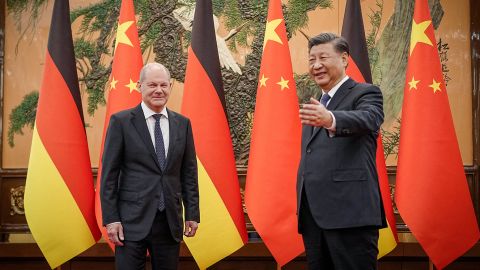
After securing his iron grip on power in a leadership reshuffle late last month, Chinese leader Xi Jinping is now moving back onto the world’s stage – in person – in an apparent bid to bolster China’s standing amid rising tensions with the West.

A handful of state visits in Beijing last week, which included meetings between Xi and leaders of Tanzania, Pakistan, Vietnam and Germany, and expected travel to international summits later this month are a sharp change of pace for Xi, who has drastically limited his foreign guests and only left the country once since start of the Covid-19 pandemic.

For more than two years, Xi – who is the most important figure in China’s Communist Party by a long shot – hunkered down as China ramped up a stringent zero-Covid policy that seeks to eliminate the virus using border controls, mandatory quarantines, lockdowns and routine mass testing.

The Election That Saved the Internet From Russia and China


FIVE YEARS AGO, the White House made a promise to reengage with international forums that could decide the future of the internet. After an American candidate quashed a Russian challenger to lead the International Telecommunications Union earlier this month, Washington can pat itself on the back.

The conclusion of the ITU’s 2022 Plenipotentiary Conference, held in Bucharest, Romania, had advocates for an open and decentralized internet celebrating. The top win on the list was the result of the hotly contested matchup between Russian nominee Rashid Ismailov and American candidate Doreen Bogdan-Martin, who won a decisive victory with 139 of 172 votes cast. Bogdan-Martin’s win and other down-ballot shakeups mark a major shift for the ITU that some analysts say will better ensure the internet is free from censorship and meddling from authoritarian nation-states. However, others warn that the ITU has far more work to do to help guarantee an open global internet.

“The world is facing significant challenges—escalating conflicts, a climate crisis, food security, gender inequalities, and 2.7 billion people with no access to the internet,” Bogdan-Martin told the conference. “I believe we, the ITU and our members, have an opportunity to make a transformational contribution.”

Want a Better PC? Try Building Your Own Assembling a computer yourself is a good way to learn how they work.


MANY OF US use computers every day, but never really get into the guts of how they work. Sometimes, it’s nice to make something with your own hands that you'll use every day. That’s what this guide is about: how to build a PC from scratch.

It can be daunting for a lot of reasons—it’s expensive, it’s complex, it can get messy. But I want to be clear: If you can build an Ikea table, bookshelf, bed, or anything that comes in more than one of those deceivingly heavy flat packs, you can build a PC. The tricky part? I can't tell you how to build your PC. Not really. Not unless I know exactly which hardware you're using. I can, however, explain what each component does and what my recommendations are for each category.

Once you’ve built your shiny new PC, it might be time to check out some other stuff to further accessorize your new partner in crime. Be sure to have a look at our guides for the best gaming keyboards, best gaming mice, best gaming headsets, and best gaming controllers.

Special offer for Gear readers: Get a 1-year subscription to WIRED for $5 ($25 off). This includes unlimited access to WIRED.com and our print magazine (if you'd like). Subscriptions help fund the work we do every day.

For several years now, we've been in the midst of a PC hardware shortage. First, cryptocurrency miners bought up all the GPUs to farm crypto, then we got hit by a worldwide silicon shortage exacerbated by the pandemic. Now an event called the Merge has brought GPU prices back down. What that means for you, the prospective PC builder, is that it's now easier than it has been in the past few years to buy all the parts you need to put together a good work or gaming PC. That is very welcome news.

Third-Party Markup

When you're shopping for components, make sure you're buying from a reputable vendor. You may think you're buying from a large online store like Amazon, Walmart, or Newegg, but they allow third-party sellers to list products as well. There's usually a little notice that will tell you as much, right underneath the buy button.

If it's shipped and sold from someone who isn't Amazon, Walmart, or Newegg, you're probably going to pay more for the component than its retail price. For instance, our top motherboard pick retails for $130, but as of this writing its listed on Newegg for $205. It's shipped and sold from a third-party retailer, hence the markup. First-party sales (when the product is shipped and sold by the store whose site you're visiting) tend to have better prices that hew closer to the actual manufacturer suggested retail price (MSRP) of the item.

We've tried to stick to first-party sales, but sometimes components are just not available through anyone but a third party. In that case, my advice is don't spend more than 50 percent over the MSRP on any of these components. Give yourself a hard budget and please don't pay double or triple what any of these components are worth.

We've added buying advice to each category most affected by the shortage to speak more specifically to each component's scarcity (or abundance now that prices are falling), but in general just know that building a gaming PC, even as prices come down, might be a little more expensive than you expect. If you can, be patient. Grab components when they're cheap, hold on to 'em and keep an eye out for a good price on what you need next. All of my most cost-effective PC builds have been slow and steady ones.

What Do You Need?

In order to get a list of components together, no matter what your experience level is, you should use PCPartPicker. Not only does it have everything you need to buy, it also lets you build your PC piece by piece right on the website and makes sure all your hardware will play nicely together. It even has a few example builds you can tweak to your liking. Additionally, I recommend keeping a list of what you want, what you have, and what your budget is. I do this in Notes on my phone, with the title of each build right up at the top. It comes in handy to keep track of things.

Regardless of what kind of PC you’re building (home office or gaming), the components you need are going to be the same. For the purposes of this guide you're going to see a lot of abbreviations but let this section act as your glossary.

First off, you’ll need a motherboard, a central processing unit (CPU), a solid state drive (SSD) or hard disk drive (HDD) for storage, memory (RAM), a power supply (PSU), a case, and a monitor. The only thing you might not need if you're mostly using this PC for home-office tasks is a graphics card (or GPU), but it's necessary for photo or video editing and gaming. That’s a lot of stuff! Here's a little breakdown of what each component does, along with some hardware recommendations.

Motherboard

Every other component plugs into this circuit board. It’s the highway they use to communicate and collaborate. They come in different sizes and configurations, and each one looks a little different, but they all fill the same function. Make sure you know which processor you want before you buy a motherboard.

Motherboards come in a couple of flavors, but the most important thing to know is what kind of socket it has. There are basically two: LGA and AM. You'll always see them listed with a number after them, like “LGA1150” or “AM3.” The exact numbers after the LGA and AM portions of these socket names will change over time, to indicate which generation of Intel or AMD chips they support, but the current standards as of 2022 (which will work with the latest chips from either maker) are LGA1700 for Intel and AM4 for AMD.

Motherboards also come in a couple of sizes, the most common being ATX (or “full size”). That’s what I generally recommend, especially if this is your first build. Your PC case will list which size motherboard it supports, so make sure they match up. I've made that mistake before and it's always a pain to realize your motherboard is too big for your snazzy little case.

Buying advice: Okay, let's be real: What separates a fancy motherboard from a cheap motherboard? The truth is, not much. A more expensive motherboard like the MSI MPG Z590 is going to mean you get more ports, more slots for internal components like storage drives, and more slots for RAM or support for more RAM. Nicer boards also typically have more lights on them, too which is of vital importance for a gaming PC.

The question though, is whether or not you need those extra ports. When it comes to storage drives, two M.2 slots is plenty, more than that is kind of a luxury. With regard to RAM, 16 GB is what I'd say is the minimum for a gaming PC. Moving up to 32 GB is essential for video editing, and it's really nice to have for gaming but it's not a requirement by any means.

This list has motherboards of all price points on it, but there are way more out there than we can ever test and cover for you so if you see one that you like, write down its specs and compare it to others on the market to find a good fit for your budget and your vibe. We try to keep this list updated regularly with prices that aren't too much higher than MSRP, but if any of the prices here skyrockets between updates, shop around.

Suggested HardwareASUS ROG Strix B450-F (AM4 Socket): For a rig designed for 1080p gaming, start here.

Asus ROG Strix B550-F (AM4 Socket): This motherboard has a few extra ports (including Thunderbolt 3) you'll appreciate if you're building a mid to high end gaming PC on an AMD processor.

MSI MPG Z490 (LGA 1200 Socket): This one is great for 10th and 11th-generation Intel processors and mid-tier machines.

ASUS ROG Strix (LGA 1700 Socket): This is a high-performance motherboard for gaming machines. If you're picking up a 12th or 13th-generation Intel processor, this is our recommendation.

Processor (CPU)

This is the brain of your computer. It sockets directly into the motherboard, and it’s the single most important component of your PC. That doesn’t mean it has to be the most expensive (we’ll get to that later), or that it's the most important for gaming performance. Like your brain, everything your PC does goes through here. Your legs are important for running, but it's your brain that tells them to move.

Buying advice: You're going to see the highest markups on your CPU and GPU. But these prices will move around quite a bit, so keep checking back if you can't afford the component you want at the moment. If the CPU doesn't mention including thermal paste, get some. Don't eat it. I know it looks tasty, but it's not actually food.

Suggested HardwareIntel Core i5-12600K 6-Core 3.7 GHz (LGA 1700 Socket): Intel's 12th-generation i5 offerings are a great choice for everyday workloads and won't get bogged down by your games, as long as you have the GPU horsepower to pull most of that weight.

Intel Core i7-12700K 8-Core 3.6 GHz (LGA 1700 Socket): An Intel i7 will see you through most heavy workday tasks and 4K gaming.

Intel Core i9-13900K 8-Core 5.8 GHz (LGA 1700 Socket): Intel's high-end gaming option, the 13th-gen Core i9, is an incredibly versatile performer. This thing pushes games to their absolute limit and shreds content creation workloads. It is very pricey as it just hit store shelves and it's one of the highest-end processors on the market, but it's an absolute beast.

AMD Ryzen 5 7600X 6-Core 5.3 GHz (AM5 Socket): The Ryzen 5 7600X is an excellent choice for a gaming or video editing PC. It's not as quick or nimble as AMD's top-end offerings but honestly it keeps pace with the more expensive processors surprisingly well.

AMD Ryzen 9 7950X 16-core 5.7 GHz (AM5 Socket): AMD's 16-core behemoth is a killer CPU for high-end 4K or 144-Hz gaming, but it has some special requirements. It gets so hot there's no way you should put it into a PC without a liquid cooler like Asus ROG Ryujin II Liquid Cooler.

Graphics Card (GPU)

If you’ll be playing games on this PC, you’ll need a graphics processing unit (also called a graphics card). This is a specialized processor that’s designed and optimized for handling visual data like the graphics in games. It's also used in video and photo editing and other graphics-intensive tasks.

Your CPU is the best of the best when it comes to processing information sequentially—one message after another—it does this lightning-fast, millions of times per second, but that's still not quick enough to run a graphically demanding game at a high frame-rate.

For that you need a special kind of processor, one that's not designed for sequential processing, but for parallel processing. Your GPU can process thousands, millions, of things at the same time–think about all the things your GPU is rendering any time you play a game. Every rock, every tree, every gun, every player, every enemy, and on and on. She's got to think about all those things all at once and weave them into a coherent three-dimensional environment for you to explore and enjoy.

Buying advice: Even though they're more available than they have been in years, graphics cards are among the most in-demand PC components, and their prices still swing a bit higher than MSRP in some cases. That's why the picks on this list are generally mid- to high-end. In my opinion, it's better to put the bulk of your budget toward a graphics card. The higher you go now, the longer it's going to last—like buying a $100 pair of shoes that lasts you years, instead of a $20 pair of shoes that fall apart every couple months. Cheap graphics cards are penny-wise but dollar foolish for gaming PCs. For a regular old home office PC, any cheap card from the past couple years will do you just fine.

Suggested Nvidia GeForce Hardware

Nvidia has recently released its latest generation of graphics cards, the GeForce RTX 40-series, but there aren't any on this list. As of this writing, they still have some kinks to work out (not the good kind), they're extremely expensive, and the 30-series is just a better value for performance that's almost as good and sometimes better than the latest, most expensive cards. MSI GeForce RTX 2060: If you're looking to get into medium-end gaming, this card strikes a good balance between power and price. Also a great pick for an office computer that will do some video editing or some light gaming.

Asus ROG Strix RTX 3060: Nvidia’s 30-series graphics cards are often out of stock due to the global chip shortage, but if you can find one for a reasonable price, the RTX 3060 is a killer 1080p and 1440p gaming graphics card.

Zotac GeForce RTX 3080: Honestly, this is still one of the top performing graphics cards on the market right now, even if you're running games at 4K with ray-tracing on. Add on to that the fact that it's under $1,000, and it's a very appealing card. For an Nvidia build, you can't do much better.

Suggested AMD Radeon Hardware

A note for anyone looking to buy a Radeon card right now: Don't! The newest generation of Radeon graphics cards, the 7000-series, is likely to be announced in early November. Even if you're not interested in a top-end, bleeding-edge card, the imminent release of the new generation will drive current (6000-series) graphics cards down further, so you'll save a little extra if you wait. Radeon RX 6600: The RX 6600 is a really solid pick for 1080p gaming on an AMD chip.
Radeon RX 6800 XT: If you're going all-out, the RX 6800 XT is my top choice right now. It's a beast of a GPU that can handle anything you throw at it, even Cyberpunk 2077 at full 4K resolution.

Storage

This is your PC’s walk-in closet. This is where you store all your files, your games, your movies, your documents, your photos, your everything. You can always add more storage later.

Suggested HardwareSamsung 980 Pro M.2 SSD: Samsung's M.2 drives are always a good choice. They're quick, durable, and itty-bitty (about the size of a stick of gum), so they can pair with just about any other internal SSD you'd like. Most motherboards have an M.2 slot either on the front of the board or around back, and you don't even have to mess with any cables. This one clocks in at around 6,980 MB/s read speed, and 4,876 MB/s write speed.

Samsung 970 Evo M.2 SSD: The Evo line is cheaper though a bit slower, but it's still an excellent buy for any build. This M.2 drive tops out at around 3,500 MB/s read speed and 3,300 MB/s write speed. Slower than others on this list but still pretty quick—quick enough for gaming for sure. If you're on a budget, go with the Evo.

Corsair MP600 M.2 SSD: Corsair's MP600 drive comes with a built-in heat sink to keep temperatures down while it transfers your data at blazing speeds. It features a 4,950 MB/s read speed and 4,250 MB/s write speed.

WD Blue 1-TB Internal SSD: It's reasonably quick, with plenty of storage space but this Western Digital model is better for a secondary storage drive—not the one you run games or your operating system off of.

Memory (RAM)

You’ll see a lot of the same terms when you’re looking at memory and storage, but they’re very different. Memory is more like that one table you toss things on to deal with later. It’s scratch paper; it’s short-term. It’s very important, though, because software uses memory to cache (temporarily store) data in a place where it can be retrieved quickly.

Suggested HardwareCorsair Vengeance LPX 16-GB 288-Pin RAM: High-end gaming rigs always go for 32 or 64 GB of RAM, but a good old pair of 8-GB sticks will see you through most 1080p games and everyday tasks.

G.Skill Ripjaws V Series 32-GB 288-Pin RAM: With this much RAM, you should be pretty well set for everyday tasks and gaming.

Corsair Dominator Platinum 64-GB 288-Pin RAM: If you need extra heft for content creation or high-end gaming, consider stepping up to 64 GB of RAM.

Power Supply (PSU)

Your power supply unit is a little box that keeps the electricity running to every component. It determines how quick and powerful your PC can be. The faster it is, the more power it needs, and you always want to have a little more than you need, just in case. Just like GPUs, PSUs are also in and out of stock right now.
Suggested HardwareEVGA SuperNOVA 750 GA Power Supply: You should always err on the side of having more power than you need, and this unit will provide exactly that.

NZXT E850 850-Watt Power Supply: This 850-watt power supply should provide enough horsepower to run even the most high-end and demanding builds.

EVGA SuperNOVA 1,000-Watt Power Supply: For PCs with multiple graphics cards or a whole lot of storage, EVGA's 1,000-watt PSU is a good pick.

Case & Cooler

Your case is just what it sounds like. It’s a metal box. It might be covered in glass panels and etched aluminum, but inside it’s just a big metal box that holds everything together. Make sure you match it up with your motherboard size. For example, if you have an ATX motherboard, you need an ATX (or “full-size”) case.

Suggested HardwareCorsair Obsidian Series ATX Full Tower: There are lots of kinds of cases. Some are super small, others are enormous. And your decision will ultimately come down to the design you like as much as anything else. If you're unsure what to get, this one is great for your first build. Other case manufacturers we like are NZXT, Fractal, Phanteks, Cooler Master, and Lian Li.

NZXT H710i ATX Mid-Tower: This is one of my faves. It has a slick aesthetic and slightly compact silhouette without compromising cooling capability or accessibility.

MSI Gungnir 110R ATX Mid-Tower Case: This budget-friendly case is a solid option for most people. Be aware that it'll be a tight fit—there's almost no wiggle room for bulky cables or hyperspecific configurations. It looks nicer than you'd think for the money, and the RGB button syncs up your lights with very little effort. The smokey tempered glass allows them to shine through without turning your office into an EDM show.

Operating System

When you build a PC, you don't automatically have Windows included. You'll have to buy a license from Microsoft or another vendor and make a USB key to install it. Or you can check out the newly released Windows 11. Here’s a little more information about what all you get out of the newest version of Windows.

Putting It All Together

The internal layout of every gaming PC is a little different, so we're not going to get too far into the weeds here. Your best bet for specific instructions for your hardware will be referencing your manuals and searching for your components on YouTube. It can be super helpful to actually see a person handle and install your exact hardware, especially when you're stuck and can't quite figure out what the hell your manual is talking about. But here are some general tips for putting all these components together.

First, prep yourself a clean workspace. This can be a dining room table, a cleared-off desk—just any surface big enough for your case to lay flat on its side, with ample room around it for the rest of your components. You’ll also need a Phillips-head screwdriver that will fit the screws on your case. When you put these parts together, be sure to discharge any static buildup and work on a nonmetallic surface like a wooden table. Or you could just assemble the motherboard on top of the cardboard box it comes in.

Most of the components you bought are going to come with instruction manuals; keep them handy. We’re going to start with the motherboard, so open up the instruction manual to the installation page. It can be pretty intimidating—there’s a lot to look at—but think of all this as a big Lego set. Each piece fits into each other piece. For the motherboard, your first job is going to be seating your CPU.

Installing Your CPU

Depending on what kind of CPU you purchased (Intel or AMD), the chip will have either little prongs on one side (don’t touch them) or little golden contacts on one side (don’t touch them). Seriously, don’t touch that side of your chip. Oils from your fingertips can damage the contacts, or you might bend a pin. Do either one and your processor becomes nothing more than an expensive hunk of silicon.

Seating your processor is pretty easy. First, double-check your motherboard’s instructions and make sure you’ve unlocked the processor socket. It’ll be a big square with a bunch of little holes (or contacts), with a lever or button beside it. Your motherboard’s instructions will say explicitly how to unlock the socket so you can put your processor in without any issues.

Once you’ve confirmed that it’s unlocked and ready, just find which corner of your processor has a little golden triangle and line it up with the same symbol on your motherboard’s processor socket. Gently lower the processor into the socket, then gently flip the latch or locking mechanism. You shouldn’t have to fight it. If you have to press really hard, double-check that the processor is socketed correctly.

Next, you’re going to need your thermal paste. That little tiny plastic syringe of silvery goo is very important for this next step. Now that your processor is seated, take a look at the shiny square of silicon in the center of it. That’s where your heat sink is going to sit. Your processor came with a heat sink, and on one side of it, you’ll see a copper circle. You’re going to be putting the heat sink directly on top of the processor after we apply the thermal paste, with the silicone square and the copper circle lining up perfectly.

Go ahead and carefully squeeze a tiny ball (no bigger than a pea) of thermal paste onto the silicon square on your processor. You’ll want it as close to the center as you can get.

Now line up your heat sink with the screws surrounding your processor, and gently lower it into place. You’re gonna squish the thermal paste, and the goal here is to create a thin layer covering the back of your processor. It’s OK if it oozes a little bit, but if it oozes out and over the edge of the processor, you used too much. Get some isopropyl alcohol, dab it on a lint-free wipe, and wipe the processor and heat sink. Wait till they’re thoroughly dry and try again.

If it looks all right, screw your heat sink into place. Flip back to your motherboard instruction book and find the right place near the processor socket to plug in your heat sink’s cooling fan. It should be very close to your processor socket. Once you’ve found it, plug it in—congratulations, you just installed a CPU. This was the hardest part, and it’s over. Good job!
Installing Your Storage and Memory

Memory is maybe the easiest thing to install. See those vertical little sockets beside the CPU? Line up your sticks of RAM and slot them in, starting from the left-hand slot. They’ll lock into place once you’ve seated them properly. If you have two sticks of RAM, make sure to skip a slot between them. Your motherboard manual should say which slots to use.

For your hard drive or solid-state drive (SSD), find an empty bay in the front-facing part of your case. Slide your drive in and screw it into place. If you have an M.2 drive (a tiny SSD about the size of a stick of gum), there should be a place on the motherboard where you slot it in directly. Check out your motherboard’s manual to see where the M.2 slot is if you can't find it.
Installing Your Motherboard and Power Supply

The rest of this is formulaic. Start by putting your motherboard into your case. Consult your motherboard’s instructions, line up the screw holes in the case with the ones on your motherboard, and get to work.

Next, you’ll want to install your power supply. There should be a spot for it near the top or bottom of the case, a big square spot that will fit your supply perfectly. If you’re having trouble finding it, look at the back of your case: There’ll be a big empty square. That’s where the power supply goes (and where you’ll plug in your PC when you’re all done). Once you've found its home, slot it in and screw it into place.

Make sure all the snaky cables coming out of the power supply will reach your motherboard with room to spare. Don’t plug in anything yet; we’re going to come back to the power supply in a bit.

Installing Your Graphics Card

Your GPU is going to be pretty big. Even a modestly powerful GPU like the GTX 1060 is large compared to your other components. That means how it fits into your case is important. Once you put your GPU in there, space is going to start getting tight.

Flip open your motherboard’s instruction book again and look for a PCIe slot. It’s going to be a horizontal slot with a little plastic latch beside it, near the middle or bottom of your motherboard. That’s where the GPU plugs in. All you need to do is identify the back of your GPU (the side with the HDMI and DisplayPorts), line that up with the back of your case, and push the GPU into the horizontal slot. It should lock into place easily enough; if it doesn’t, make sure you’re inserting it correctly.

Find another one of those tiny little screws and fasten your GPU to the case. There’s a little spot for that on the same piece of metal with the HDMI ports. It should be easy to find.

Now, take a look at the cables coming out of your power supply. There should be a few that look like they could fit into the square (or rectangular) socket on the side of your GPU. It should look like six or eight little holes in a rectangle shape. If you’re having trouble, take a look at this video from hardware manufacturer Asus. Some of the specifics will be different, but it’s a great look at how to install a GPU.

Ribbon Cables

The motherboard needs to be hooked into all your devices. The power supply unit I used in this build is what's called fully modular, which means that you can select the cables you need and leave the rest off to eliminate clutter. Otherwise, power supplies have a ton of cables, and you'll have to deal with the unused power connections dangling inside your case. You'll need to connect the PSU to the SSD and the motherboard.


You also need to plug the motherboard into your case—the power buttons, audio plugs, and USB ports on the front of your case. There are special headers for each kind of plug scattered around the board, so you'll want to check your manual for the location and function of each grouping of pins. These tiny pins need to be plugged in a certain way, and they're unbelievably minuscule. There's also a hookup for the case's fan—in the case I used there was one header on the motherboard but three fans installed. Then there's the SATA cable for your SSD, which plugs into the motherboard.

This part of your build really depends on the hardware you purchased, so consult the manuals for each component to ensure you've correctly plugged it into your motherboard and the power supply.

Boot It Up and Install Windows

The final stage of your build is a simple one: Hit your power button. If the PC whirs to life, you probably put it together perfectly! If it doesn't, don't despair. There are a lot of potential problems that could cause a PC to fail to boot up for the first time. This video from Kingston goes over some pitfalls that might cause you some headaches, so if you're not able to boot your PC, give it a watch and retrace your steps.

There's also a chance you could have received faulty components. This video goes over some tips on how to check your parts. In general, if you’re having trouble with a specific component, YouTube is your friend. There are tons of helpful PC-building tutorials.

If it started up just fine, the next step is super easy: Turn it off. Remember that Windows flash drive you made earlier? Plug it into the PC and boot it up again. If you set it up right, your computer should just do its thing and get started installing Windows. If not, you might need to open your BIOS (check your motherboard's manual for how to do that) and set the USB drive to be a “boot device” first. Here's a brief rundown of that process (start at step 3).

You Did It!

Congratulations on building your first PC. It's a bit of a pain, but it's a great way to spend an afternoon. Or a couple of days, depending on how many unforeseen headaches you run into. Seeing as the pandemic is still sticking around, and there's even a fun new booster to get (yay), you can use your new PC to help you spend all those extra indoor hours productively (or just grinding out loot in Destiny 2).